Introducing ies-tools: Making IES Light Files Easy to Use
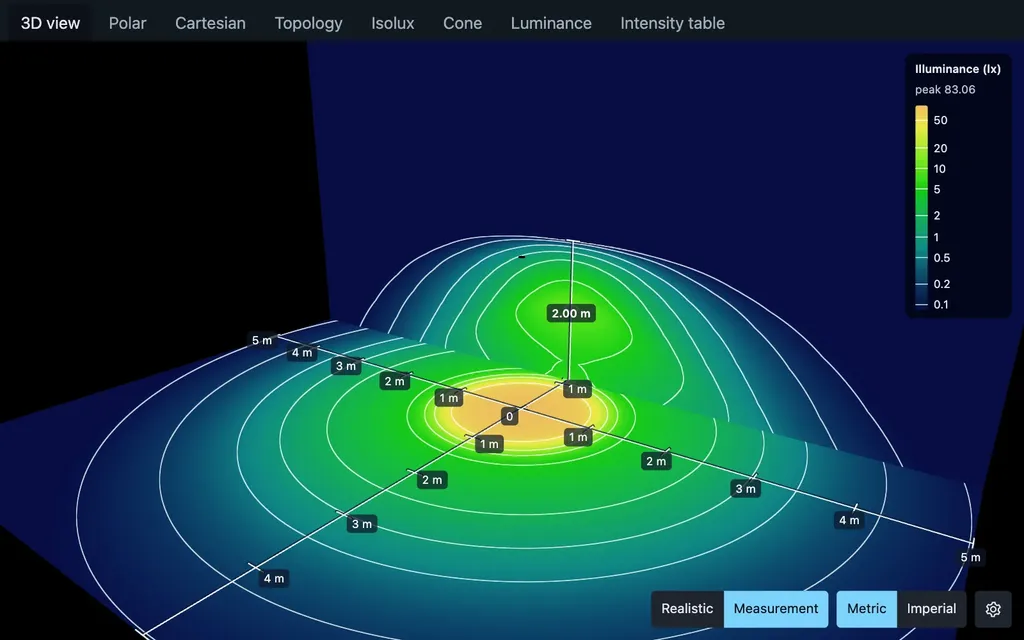
IES files describe how real light fixtures distribute light, and they are key to realistic architectural rendering, but they have always been hard to inspect and use. ies-tools adds a CLI, a VS Code extension, and an embeddable web viewer that make them easy.
Ben Houston • • 4 min read
ies-tools makes IES light files easy to inspect, validate, convert, and preview. It includes a command-line tool, a VS Code extension, and a viewer you can embed in web pages, all built on one TypeScript library.
- Command line. Inspect, validate, and convert IES and EULUMDAT files, and export charts and preview renders.
- VS Code extension. Click an
.iesfile to see its light in 3D, along with its charts, statistics, validation results, and syntax highlighting. - Embeddable viewer. Add the same 3D preview and charts to your own web page with one HTML tag.
Why I Built It#
An IES file describes how a real light fixture distributes light. Manufacturers measure their fixtures in a lab and publish the results as IES (or the European equivalent, EULUMDAT) files. Downlights, track lights, wall washers, and street lights each throw light in a distinct shape, with sharp cutoffs and scalloped patterns on walls. A point light or a spotlight cannot reproduce those shapes. An IES profile can, and it is one of the main reasons architectural renderings look real rather than computer-generated.
Despite that, IES files have always been awkward to work with. They are old text files full of numbers that are impossible to read by eye. To see what a fixture actually does, you usually need a Windows-only desktop viewer or a full rendering package. To check whether a manufacturer's file is malformed, you mostly find out when your renderer misbehaves.
The web has also been catching up. Three.js now supports IES lights, which means realistic architectural lighting can run in a browser. But the tooling around the files themselves never caught up. I wanted to look at an IES file as easily as I look at an image, and to handle IES files in scripts and pipelines like any other asset.
The ies CLI Utility#
npm install -g @ies-tools/cli

ies inspect downlight.ies        # manufacturer, lumens, peak intensity, beam angles
ies validate downlight.ies       # nonzero exit status on malformed files
ies convert downlight.ldt --to ies -o downlight.ies
ies chart downlight.ies -o polar.svg
ies view downlight.ies --open    # interactive 3D preview in your browser
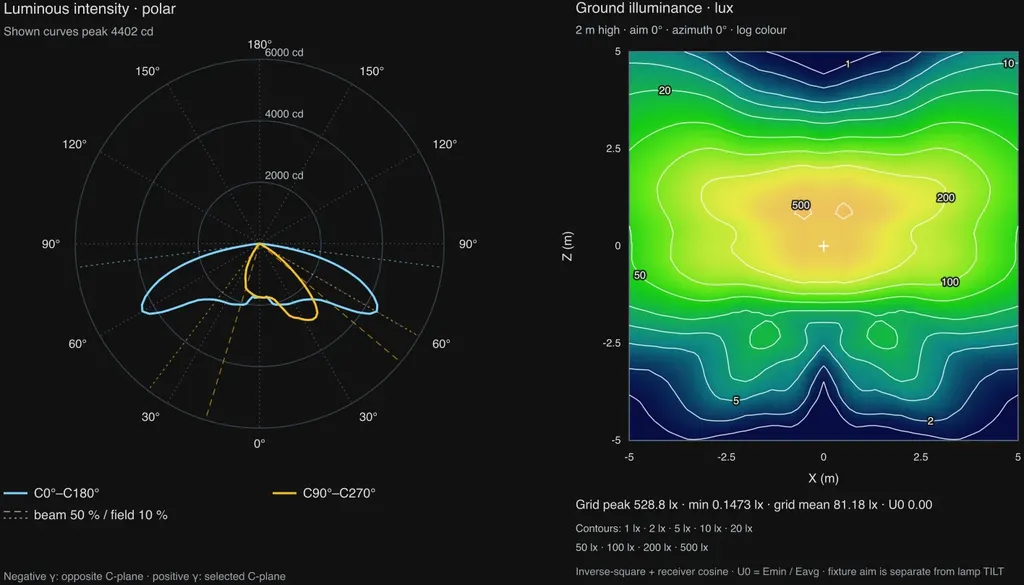
inspect and validate take --json, so they work well in CI and in coding agents. chart exports the standard photometric diagrams as SVG or PNG: polar and Cartesian intensity curves, 3D intensity topology, isolux floor plots, cone diagrams, luminance tables, and intensity tables.
The VS Code Extension#
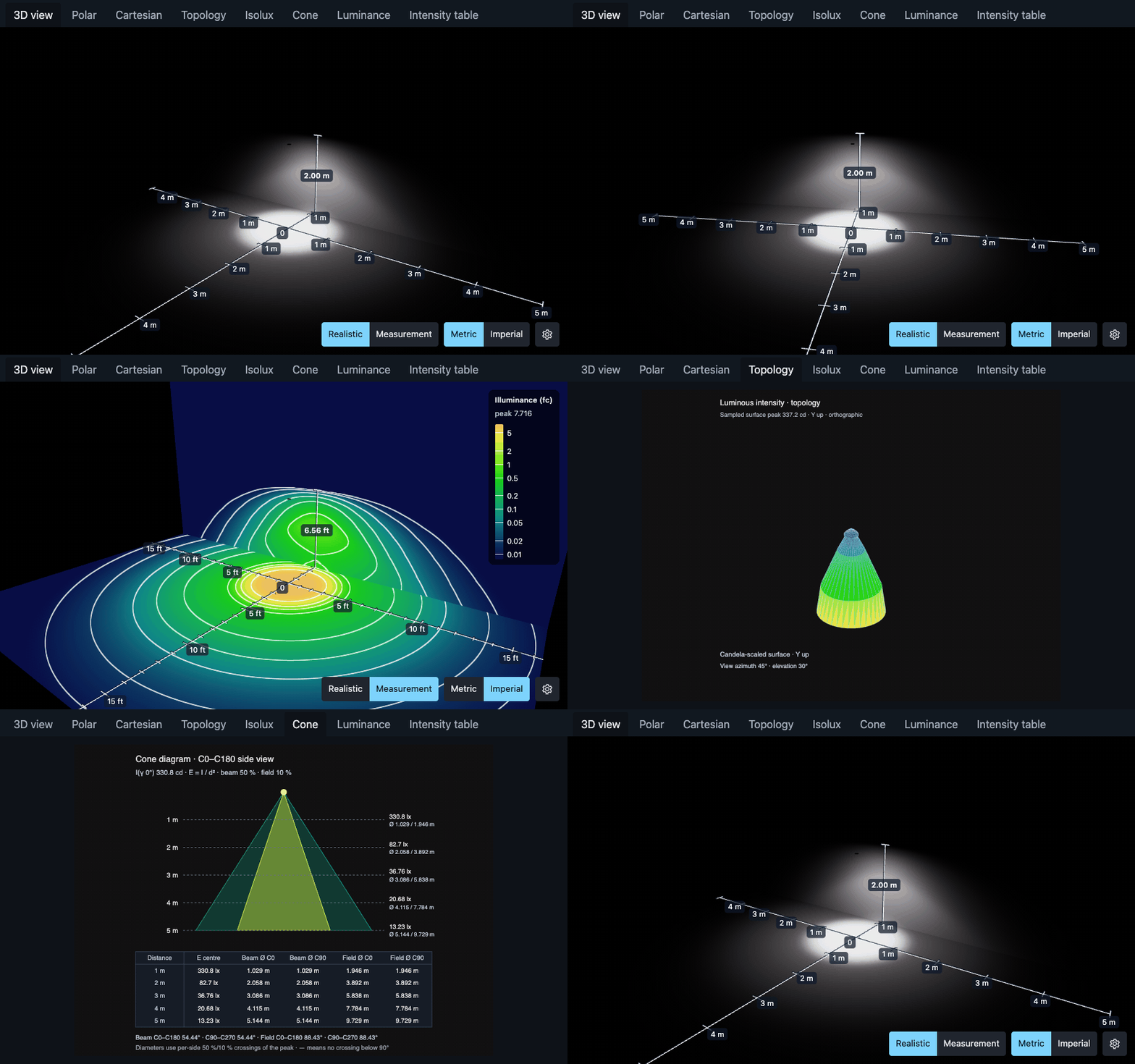
The IES and LDT Light Viewer extension makes the light preview the default editor for .ies and .ldt files. Click a file and you see its light falling on a floor and wall, with tabs for the charts and a panel listing the file's photometric properties and any validation problems. Switch to Measurement mode to see the illuminance on the floor and wall as isolux contours, in lux or footcandles.
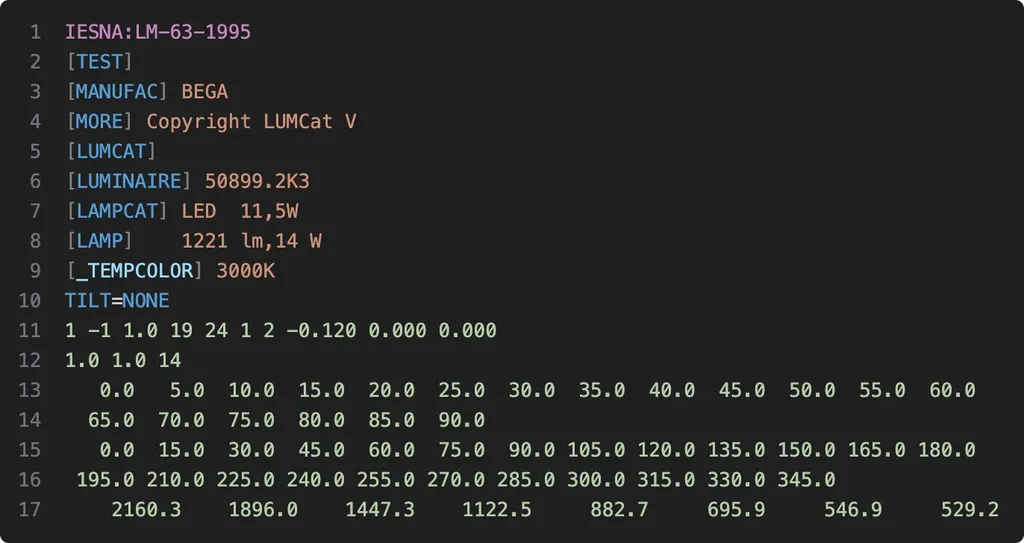
Open the file as text and you get syntax highlighting, errors and warnings in the Problems panel, and hovers that explain which field each number is. Keep the preview open beside the text and it updates as you edit.
The extension is also on Open VSX for Cursor and VSCodium.
The <light-viewer> for Your Site#
The viewer behind the CLI preview and the VS Code extension is also a web component you can put on your own site, such as a lighting product page:
<script type="module" src="https://cdn.jsdelivr.net/npm/@ies-tools/[email protected]/dist/light-viewer.js"></script>
<light-viewer src="/lights/downlight.ies" charts="true" style="height: 600px"></light-viewer>
There is also a React component and a Three.js API, and the underlying @ies-tools/core library parses, validates, converts, and computes photometric statistics with no dependencies.
Try It#
npm install -g @ies-tools/cli
- Documentation: ies-tools.ben3d.ca
- VS Code extension: Marketplace · Open VSX
- npm: @ies-tools/cli, @ies-tools/viewer, @ies-tools/core
- Source: github.com/bhouston/ies-tools