React Scheduling
Part 3 of the React Internals series. React schedules fiber work with lanes, interrupts lower-priority renders, keeps committed UI intact, and uses Suspense boundaries when a subtree cannot finish yet.
Ben Houston • • 7 min read
This is part 3 of the React Internals series. It builds on React Fibers, which covered fibers, update queues, current and work-in-progress trees, reconciliation, and hooks.
Fibers give React units of work. Scheduling decides which units React works on first.
That distinction matters when a user types into a search field while a huge results list is rendering. The typed character should update at once. The results list can wait, restart, or show pending UI while React prepares it.
Synchronous Rendering First#
In a simple synchronous model, React starts at the root, walks the affected fiber tree, calls components, compares children, and commits the result before the browser gets the main thread back.
For small updates, this feels fine. For large trees, one render can monopolize the main thread. During that time the browser cannot process the next input event, run animation frames, or paint.
React's modern renderer changes the render phase, not the commit or paint rules. Render work can be split into fiber-sized units. Commit still applies finished work. The browser still paints after host changes. React does not show a half-rendered tree.
What React Means by Concurrent Rendering#
In React, "concurrent" does not mean React commits two versions of the UI at the same time. It also does not mean the browser paints several partial React renders.
Concurrent rendering means React can work on more than one possible future UI over time. It can start rendering a lower-priority update, yield control back to the browser, handle a more urgent update, then resume, restart, or discard the earlier render before anything from that render commits.
On the browser main thread, React still calls component functions one JavaScript task at a time. The concurrency is cooperative and interruptible, not parallel execution of many component functions on many threads.
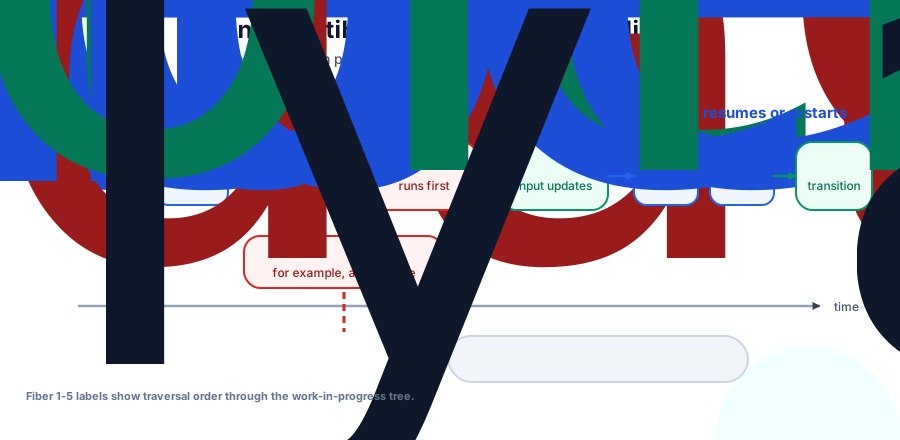
The current UI stays on screen while React prepares the work-in-progress tree. If a higher-priority update arrives before the lower-priority render commits, React can pause or abandon the in-progress render and handle the urgent update first.
Abandoning a render does not corrupt state because React has not committed it. The visible UI still comes from the current tree. The partial work-in-progress tree can be reused when valid or discarded when newer updates make it stale.
The numbered fibers in the timeline are traversal order, not a separate queue of components. React is walking the fiber tree one unit at a time.
The Scheduler Time-Slices Render Work#
React's interruptibility comes from splitting render into units of work and checking whether it should yield between those units. A simplified render loop looks like this:
while (nextUnitOfWork !== null && !shouldYield()) {
  nextUnitOfWork = performUnitOfWork(nextUnitOfWork);
}
performUnitOfWork begins work on one fiber: call the component if needed and reconcile its children. React then advances through children, siblings, and parents as it completes fibers. shouldYield comes from React's Scheduler package. It checks whether the current time slice has run long enough for React to give the browser a chance to handle input, animation frames, and paint.
This is why concurrency is not tied to Promises. A render that reads no async data can still be interruptible if it runs as concurrent work. Suspense adds another way for work to stop: a subtree can say "I cannot finish yet." Lanes tell React which work to render. The Scheduler prioritizes root callbacks and controls when React yields. Suspense handles unavailable data or code.
Lanes Model Priority#
React does not treat every update as equal. Typing into an input should feel immediate. Rendering a filtered 10,000-row list can wait a few frames.
React represents update priority with lanes. Internally, lanes are bitfields that let React group related updates, choose which work to render, and keep lower-priority work pending when a higher-priority update needs the screen first.
A lane starts on the update object. React then marks lane information on the fiber that owns the update, on ancestor fibers through child-lane fields, and on the root's pending lanes. The root-level lanes let the scheduler choose what priority to work on next. The fiber-level lanes let the render walk find the branches that matter for that priority.
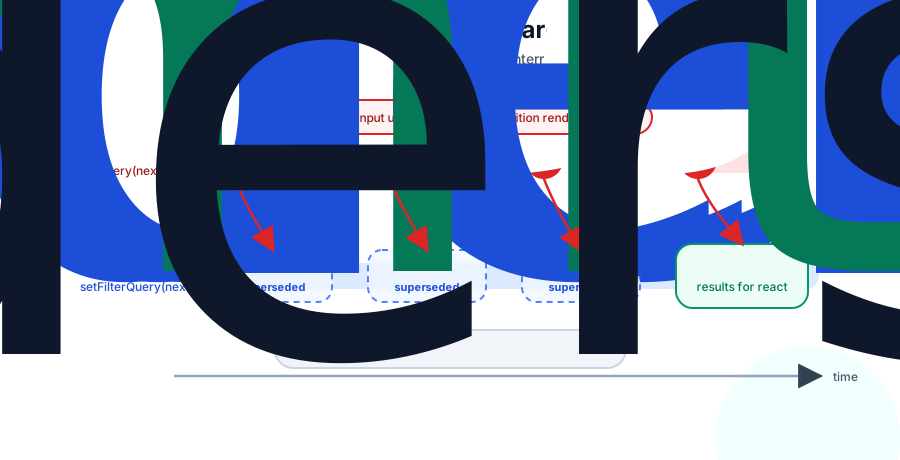
Application code does not usually pick a lane by name. React infers priority from the event, update source, and APIs you call. A normal state update from typing is treated as urgent enough to keep the input responsive. Work wrapped in startTransition becomes transition work.
function SearchBox({ allItems }: { allItems: string[] }) {
  const [query, setQuery] = useState('');
  const [filterQuery, setFilterQuery] = useState('');
  const [isPending, startTransition] = useTransition();
  const results = useMemo(
    () => allItems.filter(item => item.includes(filterQuery)),
    [allItems, filterQuery],
  );

  function onChange(next: string) {
    setQuery(next);

    startTransition(() => {
      setFilterQuery(next);
    });
  }

  return (
    <div>
      <input value={query} onChange={event => onChange(event.target.value)} />
      {isPending ? <Spinner /> : <ResultsList items={results} />}
    </div>
  );
}
The input update stays urgent. The filter query update becomes transition work, so React runs the expensive filtering during the transition render. If the user types again while React renders the results, React can restart the transition with the newer query.
Interruptibility does not make expensive work free. It lets React keep more important work responsive while the expensive work waits.
Structurally, useTransition is still just hook state on the fiber. Internally, React keeps state for isPending and stores a stable startTransition function in hook records. Calling that function does not delay the callback like setTimeout would. React runs the callback right away, but marks state updates scheduled inside it as transition work. Synchronous calculations inside the callback still block the event handler, which is why the example performs the filtering during render rather than inside startTransition. The state updates receive transition lanes, so an urgent input update can run ahead of the resulting render.
Suspense Pauses a Subtree#
Suspense uses the same render machinery for a different reason: a subtree cannot finish yet.
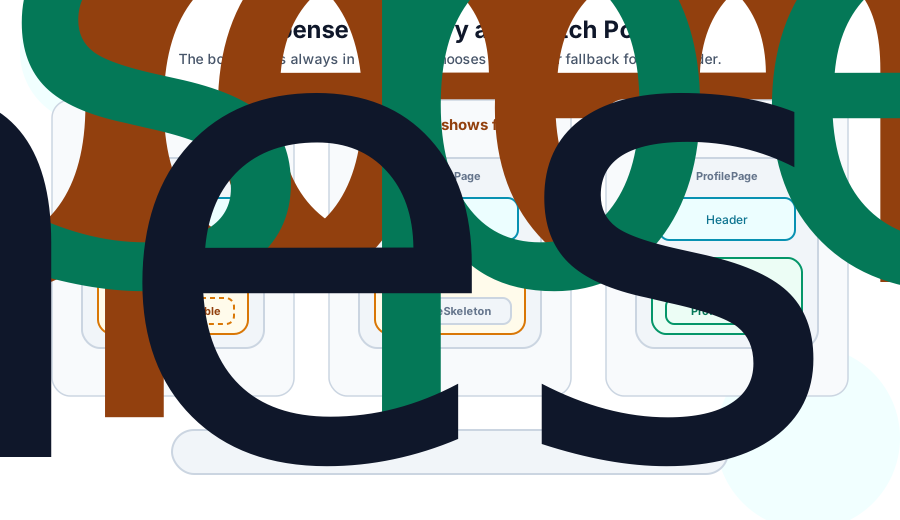
A component can suspend during render by reading a value that is not ready. In React 19, you may see this through a framework data API, React's use() API with a cached Promise, or a library that integrates with Suspense. React handles the pending thenable, finds the nearest <Suspense> boundary, and renders the boundary's fallback for that subtree. On an initial suspension, React 19 commits that fallback promptly, then schedules another render to pre-warm suspended siblings.
With TanStack Query, the pattern can look like this:
function ProfilePage({ userId }: { userId: string }) {
  return (
    <Suspense fallback={<ProfileSkeleton />}>
      <ProfileDetails userId={userId} />
    </Suspense>
  );
}

function ProfileDetails({ userId }: { userId: string }) {
  const { data: user } = useSuspenseQuery({
    queryKey: ['user', userId],
    queryFn: () => fetchUser(userId),
  });

  return <h1>{user.name}</h1>;
}
useSuspenseQuery reads from TanStack Query's cache. If the data is missing, the component suspends on the cached pending Promise. React unwinds to the nearest boundary, renders ProfileSkeleton for that boundary, and can continue work outside that boundary. When the data resolves, React marks the boundary for retry and renders the suspended subtree again.
Suspense is one reason concurrent rendering matters. Several components can kick off async data work, suspend, and leave React with partial render progress that is not ready to commit yet. React can keep the current screen visible, continue rendering other branches, or switch to a fallback boundary while those async operations resolve. The async work happens outside React; React coordinates the retries and commits.
Boundary size controls the loading region and reveal order. A small boundary gives you a small fallback. A large boundary replaces a larger section of UI while that section waits. Boundaries do not control whether React can time-slice rendering. They control which part of the tree can show fallback UI and which part can reveal later.
Suspense also interacts with transitions. If a transition suspends, React can often keep already revealed content on screen while the next version loads, instead of immediately hiding it behind a fallback.
Next Up: Rendering Optimization#
Scheduling decides when React works. The next article asks when React can avoid work at all: React Skips: How Rendering Optimization Works.