React Server Components
Part 7 of the React Internals series. React Server Components split a tree into server-only and client-interactive pieces, serialize the server result as an RSC payload, and still rely on SSR and hydration for the Client Components that reach the browser.
Ben Houston • • 9 min read
This is Part 7 of the React Internals series. It builds on Server-Side Rendering and Hydration, which covered how HTML from the server gets attached to a live fiber tree in the browser.
Server-side rendering answers one question: how can React send useful HTML before the browser runs the app bundle?
React Server Components answer a different question: which components need to be in the browser bundle at all?
An ordinary component in a client-rendered or server-rendered React app ships to the browser if it might render there. It can use state, effects, event handlers, and browser APIs. That flexibility has a cost: the component's JavaScript becomes part of the client application.
A Server Component runs only on the server, or during a build. Its code does not ship to the browser. It can read from a database, call internal services, and await data during render. It cannot use stateful browser hooks or browser APIs because it never becomes an interactive browser component.
A Concrete Stack: TanStack Start, Router, and Vite#
React Server Components are not tied to Next.js. Next.js supports RSC and made the model widely visible, but it is one framework integration, not the mechanism itself.
TanStack Start also supports React Server Components with TanStack Router and Vite:
import { defineConfig } from 'vite';
import { tanstackStart } from '@tanstack/react-start/plugin/vite';
import viteReact from '@vitejs/plugin-react';
import rsc from '@vitejs/plugin-rsc';

export default defineConfig({
  plugins: [
    tanstackStart({
      rsc: {
        enabled: true,
      },
    }),
    rsc(),
    viteReact(),
  ],
});
TanStack Start relies on TanStack Router for routing, and its RSC helpers let route loaders return server-rendered UI as renderable values.
import { createFileRoute } from '@tanstack/react-router';
import { createServerFn } from '@tanstack/react-start';
import { renderServerComponent } from '@tanstack/react-start/rsc';

function ProductSummary({ id }: { id: string }) {
  return <h1>Server-rendered product {id}</h1>;
}

const getProductSummary = createServerFn().handler(async () => renderServerComponent(<ProductSummary id="shoe-123" />));

export const Route = createFileRoute('/products')({
  loader: async () => {
    return { ProductSummary: await getProductSummary() };
  },
  component: ProductPage,
});

function ProductPage() {
  const { ProductSummary } = Route.useLoaderData();
  return <>{ProductSummary}</>;
}
That stack is a useful example for this series because it keeps the pieces visible: Vite builds the client and server graphs, TanStack Start wires the full-stack runtime, TanStack Router carries the route loader data, and React handles the Server Component payload.
The Boundary Is a Route Data Boundary#
In TanStack Start, the most visible boundary is not a filename convention. It is where server-rendered UI crosses from a server function into route data.
import { createFileRoute } from '@tanstack/react-router';
import { createServerFn } from '@tanstack/react-start';
import { renderServerComponent } from '@tanstack/react-start/rsc';

async function ProductDetails({ id }: { id: string }) {
  const product = await getProduct(id);

  return (
    <section>
      <h1>{product.name}</h1>
      <p>{product.description}</p>
    </section>
  );
}

const getProductDetails = createServerFn().handler(async () => renderServerComponent(<ProductDetails id="shoe-123" />));

export const Route = createFileRoute('/products')({
  loader: async () => ({
    ProductDetails: await getProductDetails(),
  }),
  component: ProductPage,
});

function ProductPage() {
  const { ProductDetails } = Route.useLoaderData();

  return (
    <main>
      {ProductDetails}
      <button>Add to cart</button>
    </main>
  );
}
ProductDetails runs through the server function and returns an RSC renderable value. The route component runs in the browser, reads that value from loader data, and renders it beside ordinary interactive UI. The boundary is the RSC value crossing the loader contract, not a runtime if statement inside one component.
Server Components Can Do Server Work#
Server Components are useful because they can move durable data access close to the data source.
They can:
- Read from a database or filesystem.
- Call private services without exposing credentials to the browser.
awaitduring render.- Return JSX without adding their component code to the client bundle.
- Pass serializable props through the RSC payload.
They cannot:
- Use
useState,useReducer,useEffect, or browser-only hooks. - Attach event handlers such as
onClick. - Read
window,document, orlocalStorage. - Pass arbitrary functions through the RSC payload.
- Depend on mutable browser state during render.
That split is why a Server Component often looks more like page assembly than widget logic. It fetches durable data, chooses structure, and leaves browser interactions to the route component or other client-side React code around the renderable value.
The RSC Payload Is Not HTML#
SSR produces HTML. The browser can parse and paint it before React hydrates.
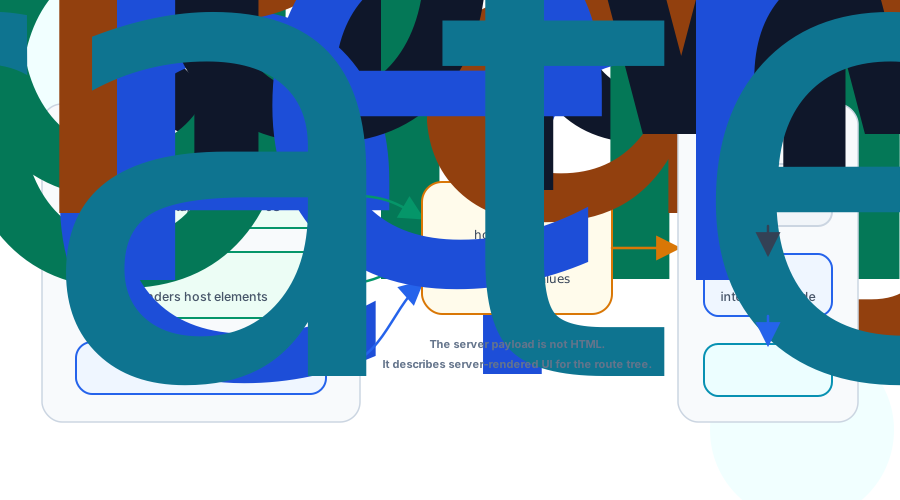
React Server Components produce a different artifact: the RSC payload. It is a compact serialized description of the rendered Server Component tree. It can include host elements, text, props, and references to Client Component modules. It does not include the JavaScript implementation of the Server Components.
A simplified mental model looks like this:
Server Component output:
main
  h1 "Trail Shoes"
  p "Lightweight running shoes."
  Renderable ProductSummary { id: "shoe-123" }
The actual wire format is React-specific and framework-managed. The concept matters more than the syntax: the payload tells the client what the server rendered and how that server-rendered value fits into the client-side React tree.
That is the key difference from SSR. HTML is for the browser parser and first paint. The RSC payload is for React and the framework. It updates the React tree without requiring the browser to run the Server Component code.
How RSC and SSR Work Together#
React Server Components do not replace server-side rendering. In common frameworks, they are layered with it.
For an initial page load, a framework such as TanStack Start can:
- Render the Server Component tree on the server.
- Produce the RSC payload that describes that tree.
- Use that payload to render HTML for the initial page.
- Send the HTML so the browser can paint.
- Send the client bundle for Client Components.
- Hydrate the Client Component parts that need interactivity.
The Server Components themselves do not hydrate because they never become client components. The Client Components inside the tree do hydrate, because they own event handlers, effects, refs, and client state.
That means SSR and hydration still matter. They are the reason the first page can be visible before the client bundle finishes. RSC adds a new layer above that: server-only rendering and a payload that lets React update the tree without shipping all component code to the browser.
Updating Without Refetching the Whole App#
The RSC payload is also useful after the first load. A route change, navigation, or refresh can ask the server for a new payload. The client can merge that new server-rendered result into the existing React tree while preserving compatible Client Component state.
This is not the same as fetching JSON and manually setting state. The server is sending rendered component output, including where Client Components belong. React can reconcile that payload with the current tree using the same identity ideas from the fiber article: component position, keys, and boundaries decide what is preserved.
If a Client Component stays in the same position with the same key, its state can remain. If the server output moves, removes, or replaces that boundary, React treats it like any other tree change.
Props Must Cross the Boundary#
Values passed from a Server Component to a Client Component have to be serializable by the framework's RSC protocol.
This works:
renderServerComponent(<ProductSummary id="shoe-123" showInventory />);
This does not work as an ordinary prop:
renderServerComponent(<ProductSummary formatPrice={() => '$129'} />);
The function is server code. The RSC payload cannot carry that closure across the server-to-client boundary as ordinary data.
Server Actions add a controlled way to call server code from client interactions, but they are a separate feature layered on the same boundary. For the internals model here, the important rule is simpler: data can cross the server-to-client boundary when it can be serialized; arbitrary code cannot.
What Moves to the Client Bundle#
In the TanStack Start example, the route component and its ordinary browser imports still belong to the client bundle. The Server Component rendered through renderServerComponent does not need to ship its implementation to the browser.
That does not mean every component should become server-rendered UI. Interactive UI belongs in browser React. The design goal is to keep durable data loading, sensitive logic, and static structure on the server, then keep the client bundle focused on the pieces that need state, effects, refs, and event handlers.
A good TanStack Start boundary often looks like this:
function ProductPage() {
  const { ProductSummary } = Route.useLoaderData();
  const [quantity, setQuantity] = useState(1);

  return (
    <main>
      {ProductSummary}
      <QuantityPicker value={quantity} onChange={setQuantity} />
      <button>Add to cart</button>
    </main>
  );
}
ProductSummary stays server-rendered because it just displays durable data. QuantityPicker and the button stay in browser React because they own interaction.
Suspense Still Matters#
Suspense is useful in RSC for the same reason it was useful in scheduling and streaming SSR: parts of the tree may not be ready at the same time.
A Server Component can suspend while awaiting data. The framework can stream payload segments as boundaries resolve. The HTML stream can reveal useful shell content early, and the RSC stream can deliver later server-rendered subtrees without turning those components into client JavaScript.
The layers stack:
- Suspense marks regions that can wait and reveal independently.
- Server rendering can stream HTML for first paint.
- The RSC payload streams server-rendered component output.
- Hydration attaches only the Client Components that need browser behavior.
This is why Server Components are not just "SSR with a different name." They add a new payload and module boundary to React's existing render and hydration story.
Next Up: React Spring#
Server Components move some component work out of the browser entirely. The next article returns to the committed host tree and follows high-frequency motion after React has done its structural work: React Spring: Motion Between Renders.